
How Calls Reach Housecall Pro CSR AI, and How Customers Get a Real Person
Housecall Pro CSR AI phone setup is simpler than most: you keep your number and forward it. Here is how the forwarding works, what callers hear, and every way a caller can still reach a person, including Housecall Pro's own live agents.
Takes you to Housecall Pro's homepage. Click Pricing in the top menu, answer a few quick questions to find your plan, then book a demo for exact pricing, including the CSR AI add-on. Rather not book a demo? The Get in touch section at the bottom of that page has a phone number and email for questions.
What's Inside
How does a phone call get to Housecall Pro CSR AI?
By call forwarding from the number you already have. Housecall Pro gives you a number for CSR AI, and you set your phone carrier to forward your business line to it. Customers dial the same number as always; CSR AI picks up, says it is an AI and that the call is recorded, and takes it from there. You do not need to port your number, buy a new one, or switch to Housecall Pro's own phone system.
A real person is never far away. If a caller asks for one, CSR AI can pass them to a number you choose, to an agent from HCP Assist, Housecall Pro's live answering service, or end the call politely and send you the notes. After hours, it follows the rules you set, and emergencies are always handled.
The screenshots of CSR AI's Customization tab, the Voice phone system page, and the Inbox menu come from my own Housecall Pro free trial. I have not forwarded a live business line to CSR AI or had a customer ask it for a person, so how forwarding, handoffs, and after-hours rules work comes from Housecall Pro's Help Center and product pages, checked October 2026. My hands-on test of the CSR AI demo is in the Housecall Pro CSR AI review.
Costs are kept off this page; see the AI voice agent pricing hub for numbers.
How do you forward your business number to Housecall Pro CSR AI?
Housecall Pro's setup guide says that about an hour after the CSR AI add-on is attached to your account, you get a text message that walks you through call forwarding. Your CSR AI onboarding specialist, or Housecall Pro support through the blue chat bubble in your account, can also give you the number to forward to.
Forwarding is a setting on your phone line, not in Housecall Pro, so the exact steps depend on your carrier. Ask them for the codes or settings your line needs. Most carriers offer some version of these, and each gives CSR AI a different job:
- Forward every call. CSR AI answers everything, and you call back or take handoffs.
- Forward when you don't answer or are busy. Your phone rings first and CSR AI catches the rest. Housecall Pro says CSR AI can work as your primary answering or as a backup, and this is the backup version.
- Forward on a schedule. If your carrier or phone system can switch forwarding by time of day, CSR AI can take only nights and weekends.
Before customers reach it, set what CSR AI may book, what it knows, and how it sounds; our guide to whether Housecall Pro CSR AI books jobs into your schedule covers the booking side. Then call your own number from another phone, and ask for a person at least once to check the handoff works.
Housecall Pro warns against two mistakes. Do not put the CSR AI forwarding number in your marketing; customers should always dial your own number. And do not use the number that forwards to CSR AI as the number CSR AI hands callers off to, or the call goes in a loop. Use a cell phone or another line that rings a person.
To switch CSR AI off, turn off the forwarding on your line and calls ring your phone again. Canceling the add-on itself is done from the billing tab in Housecall Pro or through support.
Do you need Housecall Pro Voice to use CSR AI?
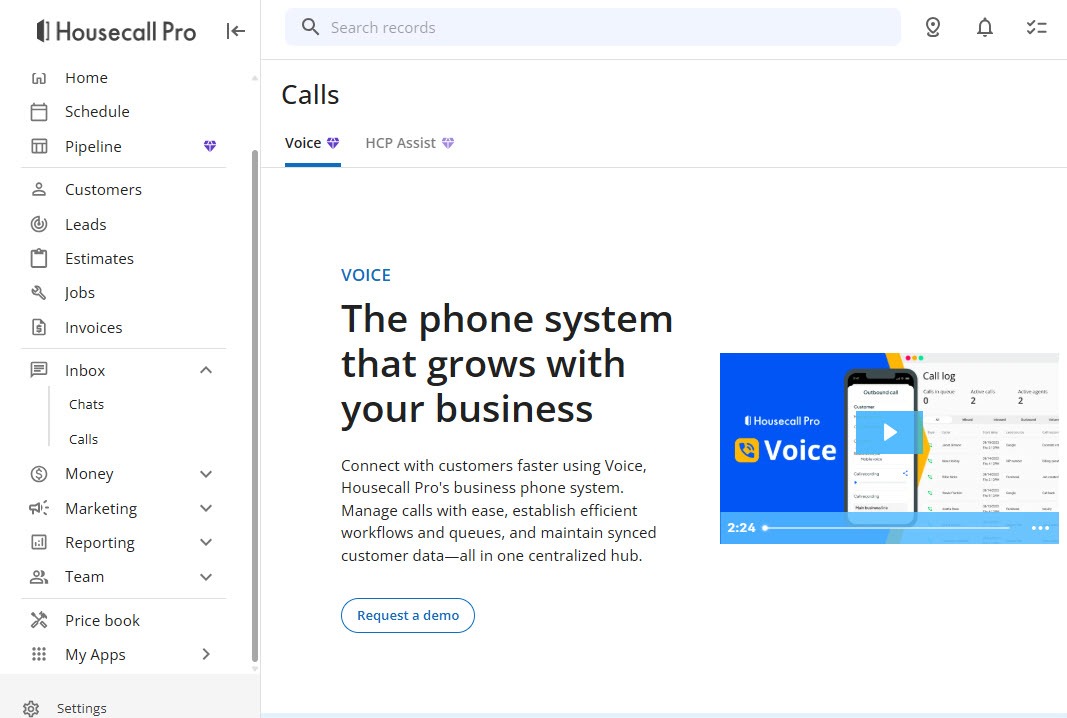
No. Housecall Pro's CSR AI setup guide calls Voice optional; forwarding the line you already have is enough. Voice is Housecall Pro's own business phone system. With the Inbox menu open in my trial, its page reads "The phone system that grows with your business" with a Request a demo button.
 Click to expand
Voice is a separate product from CSR AI. According to Housecall Pro's Voice FAQs, it comes in two packages, call tracking only or VoIP plus call tracking, and it adds:
- Your number in Housecall Pro. Port your existing number to Housecall Pro's carrier, which is built on Twilio, or keep your current phone system and forward to it. Porting typically takes one to three weeks in the US and four to six in Canada, toll-free numbers cannot be ported, and you keep your old carrier until the port is done.
- Call menus and queues. A call menu with greetings routes callers, and queues hold a call until someone on your team picks up.
- Calls and texts in one place. Calls to your numbers show in the call log, and texts to a ported line arrive in the Housecall Pro inbox.
Voice is available only in the US and Canada. Housecall Pro's CSR AI articles do not list supported countries, so if your business is anywhere else, ask Housecall Pro before you sign up. Voice makes sense when several people share one business line; a one-truck operation can forward a cell phone and skip it.
Where do Housecall Pro CSR AI calls and chats show up?
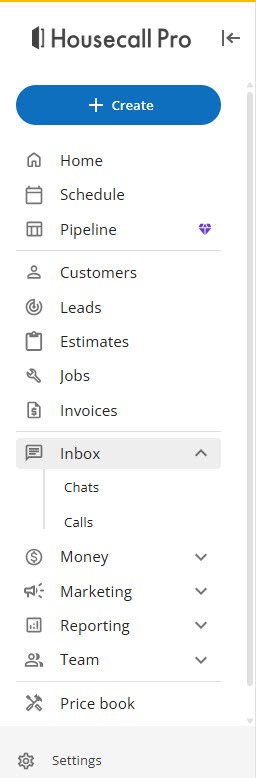
In the Inbox. In my trial, Inbox opens to Chats and Calls, which is where customer conversations and phone calls collect.
 Click to expand
Housecall Pro's Help Center lists where each kind of record lives once the add-ons are running:
| What you are looking for | Where Housecall Pro puts it |
|---|---|
| CSR AI call summaries and transcripts | Inbox, CSR AI, Call log, on the web and in the mobile app |
| CSR AI results | Inbox, CSR AI, Dashboard |
| Website chats CSR AI handled | A summary and notes in your inbox after each chat |
| HCP Assist call recaps | Inbox, Calls, HCP Assist Call Log |
| Messages HCP Assist took for you | Inbox, Employees |
From Housecall Pro's CSR AI Overview, CSR AI Chat Answering, and Welcome to HCP Assist articles, July and August 2026.
What the dashboard shows, and how to judge whether CSR AI is earning its keep, is covered in our guide to seeing what Housecall Pro CSR AI books.
What do callers hear when Housecall Pro CSR AI answers?
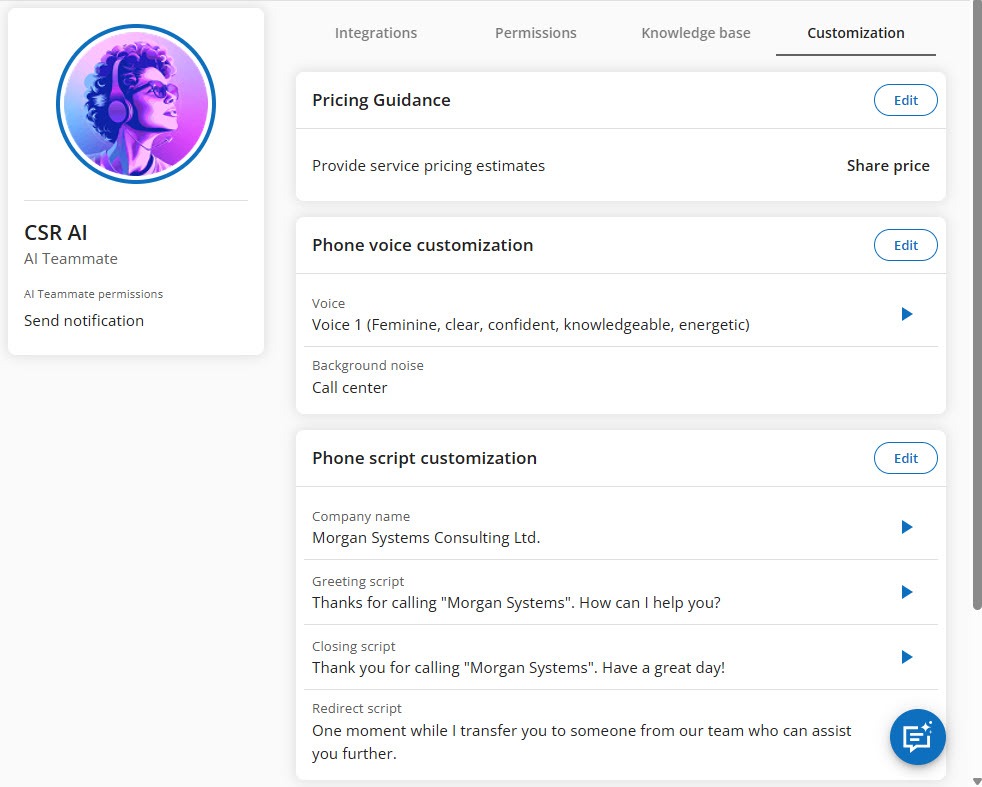
Whatever you set on CSR AI's Customization tab (Team, AI Team, CSR AI). My trial showed three cards, with more settings further down the page:
 Click to expand
- Pricing Guidance: "Provide service pricing estimates." This is where you decide how CSR AI answers "how much will it cost?", separately from whether your online booking page shows prices.
- Phone voice customization: the voice and the background sound. My trial was set to Voice 1, described as "Feminine, clear, confident, knowledgeable, energetic," with the background noise set to "Call center," which makes the line sound like a busy office rather than dead air.
- Phone script customization: a Greeting script, a Closing script, and a Redirect script, each editable, so the call opens and ends in your words.
Housecall Pro's Help Center adds tone and the pronunciation of your business name to the list, worth fixing if your name is easy to say wrong. Two things you cannot change: CSR AI tells every caller it is an AI and that the call is recorded, which its Best Practices article says is required and cannot be turned off, and it speaks English, with Spanish listed as planned. (Housecall Pro's CSR AI product page suggests the AI disclosure is your choice; the Help Center is the more specific source, so plan on the disclosure.)
Can Housecall Pro CSR AI transfer a caller to a real person?
Yes. During your company hours, Housecall Pro's CSR AI Overview lists three things it can do when a caller asks for a human. You choose which in CSR AI's escalation settings; these were not among the screens in my trial, so the details come from the Help Center.
| Handoff option | What happens | Best when |
|---|---|---|
| Forward to your number | CSR AI gathers the caller's details and sends the call to a number you choose | Someone can usually pick up: an owner's cell, the office, or an on-call phone |
| Forward to an HCP Assist agent | A Housecall Pro live agent takes the call and notes for you; booking, pricing answers, and your FAQs need an HCP Assist subscription | You want a human voice on the line even when you are on a job |
| End the call and send notes | CSR AI closes the call politely and sends you what the caller wanted | A callback within the hour is good enough for your customers |
From Housecall Pro's CSR AI Overview and CSR AI product page, checked October 2026.
Website chat works a little differently. When a customer in a CSR AI chat asks for a person, the chat goes to your company's point of contact, who is notified to join, and a summary lands in your inbox when it ends.
Whichever you choose, test it: call your number, ask for a person, and see where the call goes. A handoff that rings a phone nobody answers is worse than a clear "we will call you back."
What does Housecall Pro CSR AI do with calls after hours?
It keeps answering, booking whatever your booking rules allow, and for anything it cannot handle, Housecall Pro gives you three after-hours choices: CSR AI can call you, text you, or log the call as a private note for the morning.
Emergency calls are always handled. Housecall Pro's CSR AI Overview says you choose between having emergencies forwarded to you or getting a text alert, whatever the hour. For trades where a burst pipe, a gas smell, or no heat in January cannot wait, forward emergencies to the on-call phone and keep the routine calls as notes. Our trade guides go further on triage, such as the best AI receptionist for plumbing and the best AI receptionist for HVAC.
What is HCP Assist, and how does it work with CSR AI?
HCP Assist is Housecall Pro's live call answering service: trained agents who answer your calls using scripts tailored to your business and book jobs straight onto your Housecall Pro calendar. It is the piece no other built-in AI receptionist we review has, and it answers the worry many owners have about AI: "what if the customer just wants a person?"
| CSR AI | HCP Assist | |
|---|---|---|
| Who answers | An AI receptionist | Trained human agents |
| Hours | Around the clock | Weekdays, weekends, or 24/7, as you choose |
| Books jobs | Yes, within your booking rules | Yes, onto your Housecall Pro calendar |
| Channels | Phone and website chat | Phone |
| After each call | Summary and transcript in the CSR AI call log | Recap with notes and next steps; texts for urgent calls; recordings on request |
| Getting started | Self-serve signup or a demo, then call forwarding | 14-day free trial offered; weekly check-ins for the first four weeks |
From Housecall Pro's HCP Assist page, Welcome to HCP Assist (August 2026), and CSR AI Overview, checked October 2026. Both are paid add-ons; prices are on Housecall Pro's side, not here.
The two work together. When CSR AI hands a caller to HCP Assist, an agent takes notes for you as part of CSR AI; for the agent to book the job, quote your prices, and answer your FAQs, you need an HCP Assist subscription as well. If you add HCP Assist, keep its agents informed of closures and holidays with Events on your schedule, as Housecall Pro recommends, so they do not book you when nobody can go.
Which Housecall Pro phone setup fits your business?
Owner on the tools: forward the calls you miss
Use your carrier's no-answer forwarding so you still get the calls you can take, and let CSR AI book the rest. Send emergencies to your cell and everything else to notes.
A small office: CSR AI for overflow and after hours, Voice if you share a line
Let your office answer first and CSR AI catch the second ring and the nights. If several people answer one number, Housecall Pro Voice adds call menus and queues on top.
Customers who insist on a person: add HCP Assist
If many of your callers would simply rather talk to a person, your jobs are large, or a lost call is expensive, the option to hand callers to a live agent who can book is the strongest reason to choose Housecall Pro over other built-in receptionists.
Need texting now, or not in the US or Canada
CSR AI's text answering is still listed as coming soon, and Voice is US and Canada only. Jobber's AI Receptionist already answers texts; compare in our Jobber AI Receptionist review.
If you are already running Housecall Pro, you can start a Housecall Pro free trial to look through the CSR AI settings shown here, and ask about CSR AI and HCP Assist together when you talk to Housecall Pro.
The bottom line: Housecall Pro CSR AI phone setup comes down to forwarding your existing number to the number Housecall Pro gives you, deciding which calls to forward, and choosing where a caller goes when they want a person: your phone, an HCP Assist agent, or a callback. Keep the forwarding number out of your marketing and away from your handoff number, and test the handoff yourself. To set up what CSR AI books, see how Housecall Pro online booking works, and for the full picture, head back to the Housecall Pro CSR AI review.
Frequently Asked Questions
Sources
Housecall Pro Help Center, checked October 2026: CSR AI Overview, Getting Started with CSR AI, CSR AI Best Practices and FAQs, CSR AI Chat Answering, AI Team Overview, Voice FAQs, and Welcome to HCP Assist. Also Housecall Pro's CSR AI, HCP Assist, and call answering product pages. Screenshots are from my own Housecall Pro trial account.
To review these sources and more, go to Housecall Pro, scroll to the very bottom of the page, and click Housecall Pro Help (beside Pro Login, below the app store badges), which opens the Help Center.