
Reception.ai Review: ElevenLabs' Ready-Made Receptionist, Tested
Reception.ai, also called Reception by ElevenLabs, is ElevenLabs' ready-made AI receptionist for small businesses, built on ElevenAgents. I started the free trial, let it scan this website, and phoned the number it set up for me before I had even finished the setup wizard. Here is what it got right, where it needs a human eye, and who it suits.
14 days free, no credit card, with a real phone number to test. Goes straight to Reception's plans so you can compare before you start.
What's Inside
Is Reception.ai any good?
Yes, especially for how fast it gets you to a working receptionist. I entered this site's address, waited about a minute for the scan, picked an area code, and had a live phone number that answered as my business, before the setup wizard was even finished. On that first call it correctly listed every product this site reviews and offered to go into detail on any of them. A few minutes later a call summary arrived by email.
Behind that quick start is a real back end: services, staff, booking rules, a booking page, a web widget, reminders, transfers to a person, and a list that collects every question it could not answer so you can fill the gap. The scan does need checking. It is a starting point, not a finished setup, and it misread one thing on my site, which I cover below.
I signed up for the free trial in October 2026 with the same Google account I use for ElevenLabs, set Reception up for this website, called the phone number it created, and went through the dashboard and settings. Everything marked as something I saw comes from that trial; details I did not test myself, such as staff-first ringing and transfer rules, come from Reception's documentation and are labelled as such. All screenshots are from my own account.
Prices are kept off this page; see the AI voice agent pricing hub for numbers.
How long does it take to get Reception answering calls?
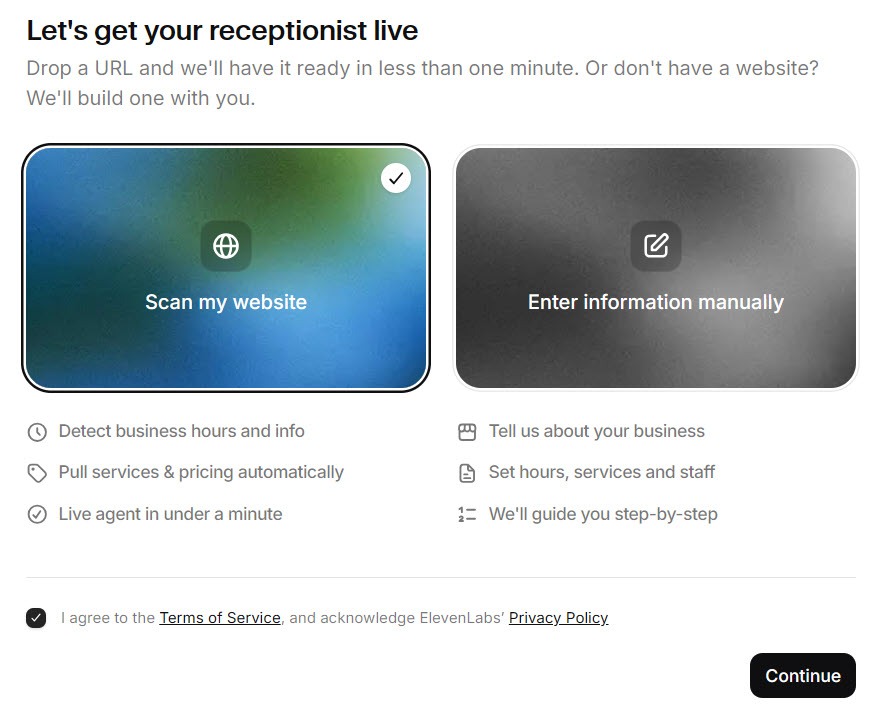
About as long as it takes to make a coffee. The setup wizard opens with two choices: scan your website, or enter your details by hand if you do not have a site. Reception's own documentation recommends the scan, which reads up to 15 key pages for services, pricing, hours, staff, locations, and contact details.
 Click to expand
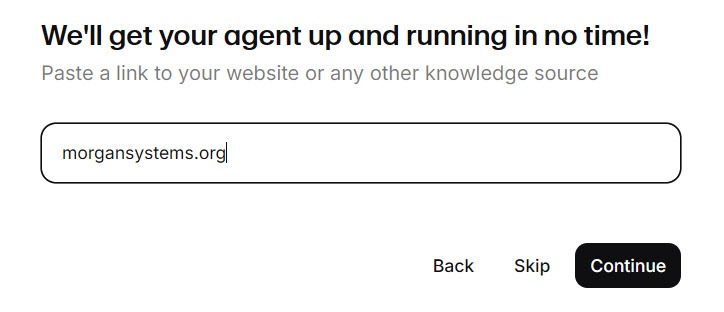
I chose the scan and entered this site's address.
 Click to expand
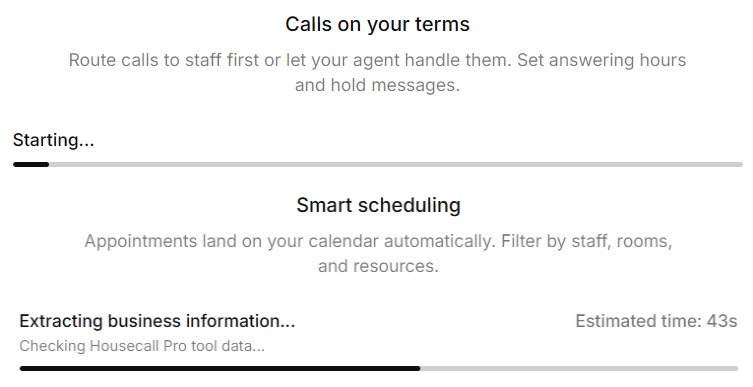
The scan runs in stages with a progress bar for each, and for this site it took around a minute.
 Click to expand
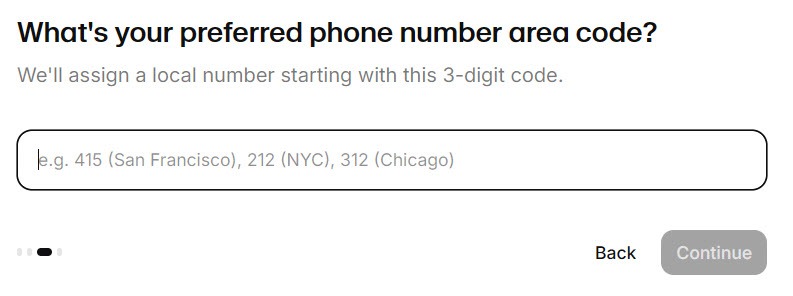
Next it asks for a preferred area code. I entered 604, the Vancouver area code, and Reception set up a working local number on the spot. Its documentation says this instant local number is available for US and Canadian businesses; about 50 more countries can get a number through a regulatory request with your business details, you can connect your own number instead, and toll-free numbers are not offered.
 Click to expand
How did Reception do on a real call?
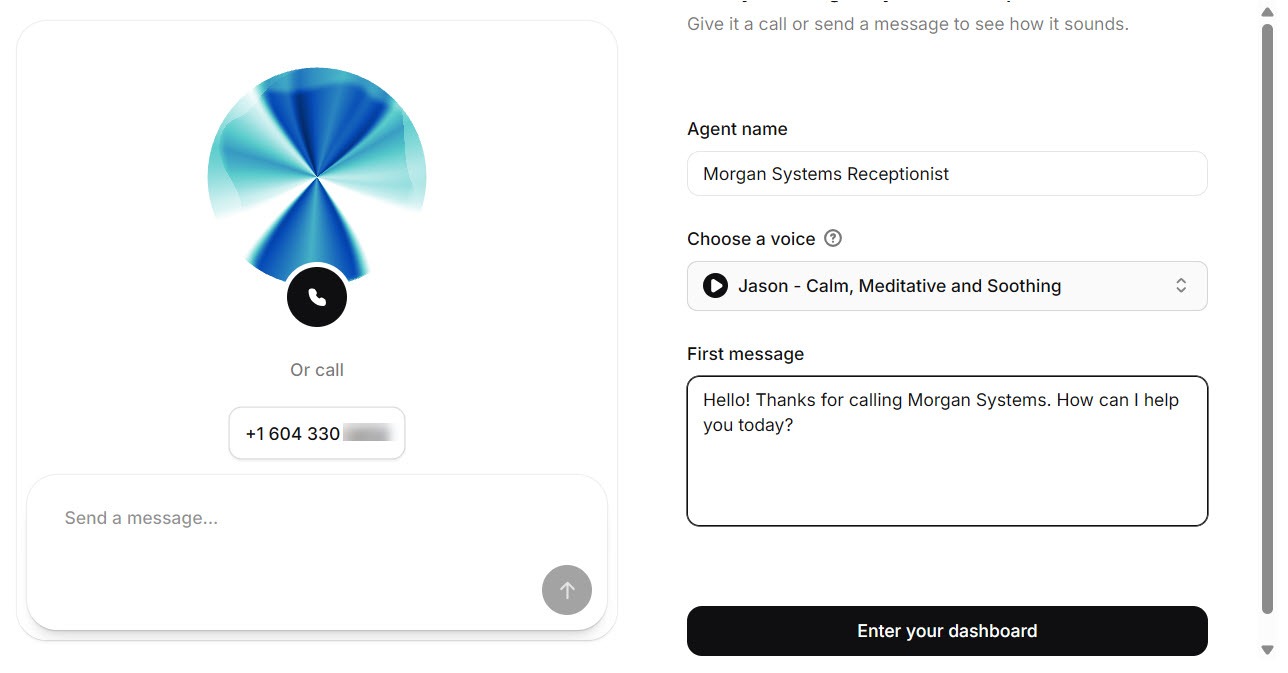
The last wizard screen is a test page, and it is where Reception makes its strongest first impression. It shows your new phone number, a first message written from the scan, a voice to try, and a text chat version of the receptionist you can type to. The voice defaulted to one called Jason, described as calm, meditative, and soothing, and you can swap it right there. It is worth trying a few: a soothing voice suits a spa better than a plumbing company.
 Click to expand
I called the number from my phone. Reception answered as my business, and when I asked which products the site reviews, it named all of them and asked whether I wanted more detail on any. That is a good sign the scan read well beyond the homepage: the products sit on separate review pages, not in one list.
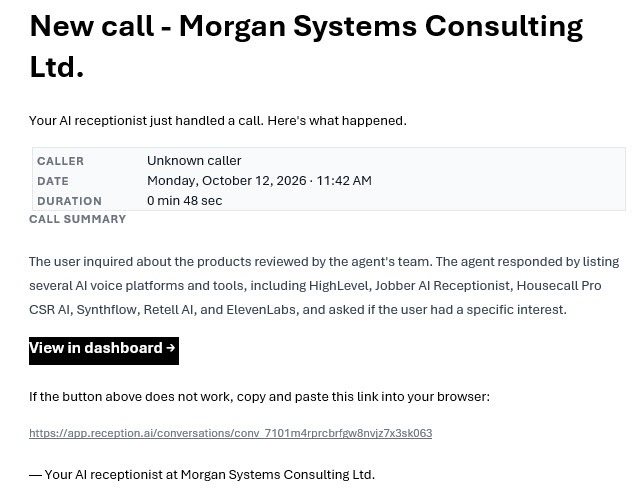
Shortly after hanging up, an email arrived with the call's date and time, its length, a written summary of what we discussed, and a button to view it in the dashboard. For an owner who is out on jobs all day, that email may be the part of Reception they use most.
 Click to expand
Reception's documentation says the test receptionist in the wizard expires 20 minutes after it is created, so call it while you are there. The trial itself starts when you click through to the dashboard, which is when the plans page appears with the 14-day free trial.
What does Reception set up for you?
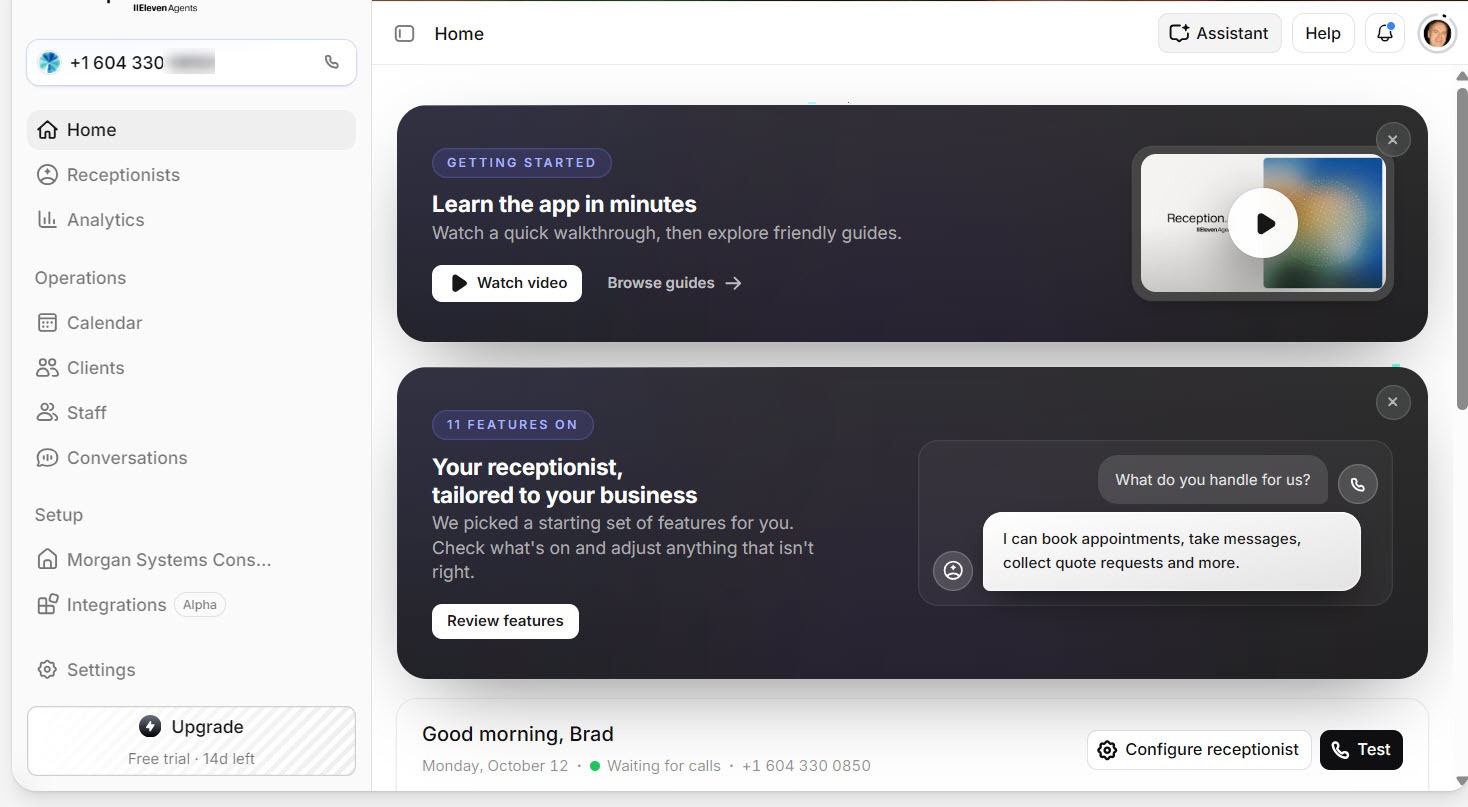
The dashboard opens with a getting-started video and a card listing the 11 features Reception turned on by default, with a sample exchange that sums the product up: asked "What do you handle for us?", it answers "I can book appointments, take messages, collect quote requests and more."
 Click to expand
This is the main difference between Reception and building your own agent on ElevenAgents: the business side already exists. In the settings I found:
- A business profile with the new number, country, time zone, and currency filled in, plus opening hours and booking rules such as slot length and how far ahead people can book (14 days by default).
- A knowledge base with my website as its first source, the pages it crawled, and buttons to add another website, a single page, or a file.
- Services and products pulled from the scan. It found every product this site reviews, and one service.
- Staff, so the receptionist can book the right person based on their hours and skills.
- A booking page and web widget of its own, with templates, so you do not need a separate scheduling tool or chat widget.
The one service it found was the AI voice agent bootcamp linked from this site's homepage. That is a partner program I link to, not a service I sell, but the way it appears on the homepage makes it a reasonable guess. The lesson applies to any business: check what the scan imported before you go live. Our Reception.ai setup guide walks through each of these screens.
Can Reception let your team answer first?
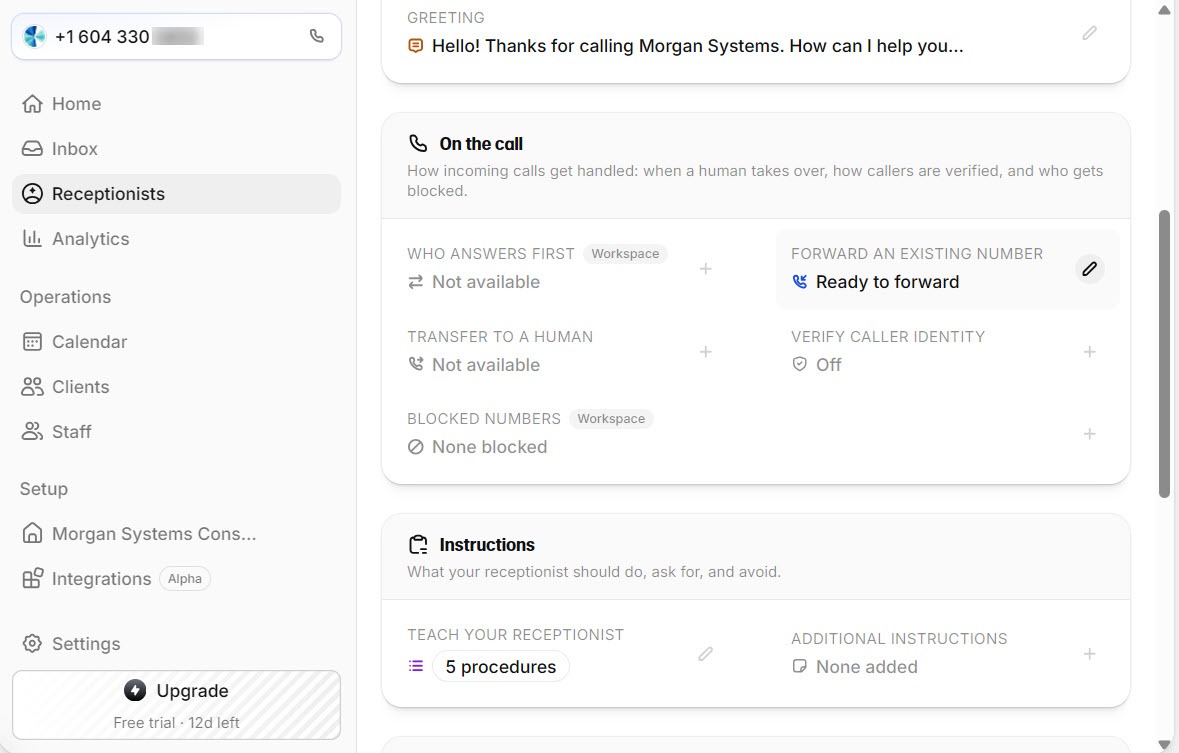
Yes. On the Receptionists page, below the greeting, an On the call card holds the two settings that matter most to an owner: who answers first, and when to transfer to a human. Below that, an Instructions card links to the procedures the receptionist follows; mine started with five.
 Click to expand
According to Reception's call handling documentation:
- Receptionist first is the default: the AI answers immediately, every time.
- Staff first rings your phone for 10 to 30 seconds (15 by default) during the hours you set. If nobody picks up, or it is after hours, the receptionist takes over.
- Transfers are rules written in plain English, such as "when the caller wants to speak to the owner", each with its own phone number. They work on phone calls only, not website chats.
Reception's documentation says staff-first answering is available for US businesses, or for businesses whose receptionist uses numbers from their own Twilio account or SIP trunk. As a Canadian business on the built-in 604 number, I would need my own Twilio number to use it. Transfers to a number outside your business's country also need your own Twilio number or a paid plan.
What does Reception do when it doesn't know the answer?
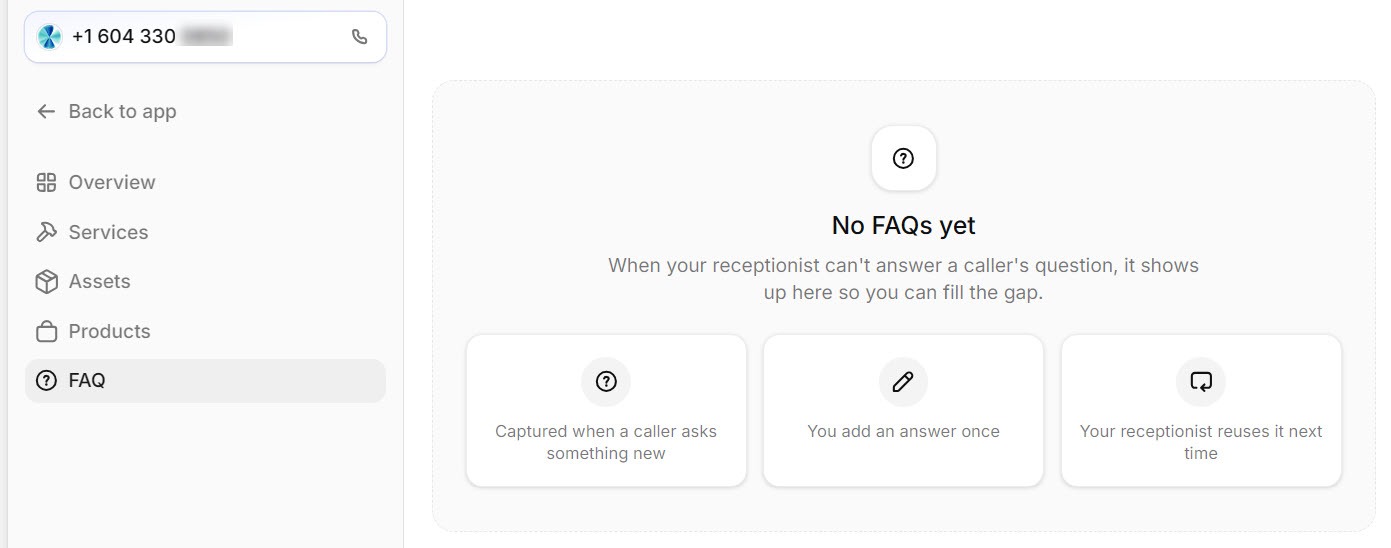
This is my favorite feature, and the one I expect matters most after the first month. Reception keeps an FAQ list under settings, described as: "When your receptionist can't answer a caller's question, it shows up here so you can fill the gap." My list was still empty after one call, which is what you would hope for.
 Click to expand
Reception's documentation adds the details: each question links to the call it came from, you write an answer of up to 2,000 characters, and the receptionist uses saved answers on future calls. On an ElevenAgents agent you build this loop yourself, by reading transcripts and editing the knowledge base, as our guide to the ElevenLabs agent knowledge base, guardrails, and testing shows. Reception turns it into a to-do list.
For rules the receptionist should always follow, and step-by-step procedures for specific requests, Reception has a "Teach your receptionist" screen with ready-made rules and procedures to start from. The setup guide covers it.
What does Reception include?
| Area | What Reception offers | Source |
|---|---|---|
| Setup | Website scan or manual entry; working number during setup | My trial |
| Phone numbers | Instant local numbers in the US and Canada; about 50 more countries by request; bring your own; no toll-free | My trial and docs |
| After each call | Email summary with date, length, and what was discussed | My trial |
| Booking | Services, staff, booking rules, its own booking page | My trial |
| Who answers first | AI first by default, or staff first with AI fallback | Docs |
| Unanswered questions | Logged to an FAQ list for you to answer | My trial and docs |
| CRM integrations | HubSpot, Salesforce, Zoho CRM, plus a request button | My trial |
| Calendars and automation | Google Calendar, Calendly, Cal.com, Zapier, webhooks | Docs |
| Languages | 70+ with automatic detection between the ones you turn on | Docs |
Trial observations from October 2026; documentation details from Reception's help pages, checked October 2026. Features vary by plan; confirm on Reception's plans page.
Where does Reception.ai fall short?
- The scan guesses. It picked up a partner program as one of my services. Fast setup only works if you review what it imported.
- Some features lean on the US. Staff-first answering needs a US business or your own Twilio or SIP numbers, and outside the US and Canada a number needs a regulatory request or your own number before you take calls.
- One call at a time on the entry plan. Reception's documentation lists one concurrent call on Basic, three on Plus, and ten on Premium. If two customers often call at once, plan for that before you forward your main line.
- Your number is tied to your subscription. If you cancel, Reception holds your numbers for 14 days, then releases them, and a released number can go to someone else. Keep your own number and forward it if you might leave.
- Not for patient data out of the box. Reception's documentation does not mention HIPAA, and ElevenLabs offers a HIPAA agreement only on its Enterprise tier, so medical and dental offices should check before using it for patient calls.
- It is not a full business system. Reception books, reminds, and keeps a client list, but it is not a field service platform with job scheduling, quotes you send, and invoicing. If you already run Jobber or Housecall Pro, their built-in AI receptionists keep everything in one place.
- Less control than ElevenAgents. You choose from Reception's settings, models, and integrations rather than building custom tools and workflows. For most small businesses that is a feature; for unusual call flows it is a ceiling.
- Disclosure is on you. ElevenLabs' disclosure requirements for its agents put it on the business to tell callers they are speaking to an AI and that calls are recorded. Check the greeting the scan wrote for you says so.
Who should use Reception.ai?
ElevenLabs pitches Reception at professional services, real estate and property management, home services and contracting, personal care and wellness, and hotels and restaurants. After the trial, here is how I would split it:
Best for: appointment-based businesses without a system yet
If you take bookings by phone and do not already run scheduling software, Reception gives you the receptionist, booking page, reminders, and call summaries in one place, set up from your website in minutes.
Build on ElevenAgents if you need custom behavior
For unusual call flows, custom tools, or a website agent wired into your own systems, building on ElevenAgents gives you full control, from calendar booking to CRM connections. The ElevenLabs review compares the two side by side.
Stay with your field service software's AI if you have one
If your jobs, quotes, and invoices already live in Jobber, its built-in receptionist books straight into that schedule. Our Jobber AI Receptionist review covers how it works.
If Reception sounds like a fit, you can start Reception's free trial and have a working number to call within minutes, just as I did. For running costs across platforms, see the AI voice agent pricing hub.
The bottom line: Reception.ai is the quickest route I have seen from "I have a website" to "a receptionist is answering my phone." It read this site well enough to answer real questions on the first call, emailed me a summary afterwards, and comes with the booking, reminders, and gap-filling tools that a self-built agent makes you assemble yourself. Check what the scan imported, set your greeting to say it is an AI, and confirm the US-only features matter to you before you rely on them. For the step-by-step version, see our Reception.ai setup guide; for the rest of the ElevenLabs lineup, head back to the ElevenLabs review.
Frequently Asked Questions
Sources
My own Reception free trial, October 2026, plus ElevenLabs' Reception documentation, checked October 2026: the quickstart, call handling, voice and personality, rules and procedures, advanced settings, testing, and FAQ pages, the Reception product page, and the ElevenAgents disclosure requirements. Screenshots are from my own Reception account.
To review these sources and more, go to ElevenLabs and click the Docs link on that page; Reception's documentation sits in the same help center.